How Long a Robot Vacuum Battery Typically Lasts
Curious about How Long a Robot Vacuum Battery Typically Lasts? This guide breaks down real‑world runtimes, the key factors that shrink or boost battery life, and practical steps to keep your robot cleaning longer. Read on for easy tips, common pitfalls, and expert advice that will help you get the most out of every charge.
Key Takeaways
- Average runtime: Most modern robot vacuums run 90‑150 minutes on a full charge.
- Battery type matters: Li‑ion cells deliver the longest life and fastest charging.
- Surface and mode impact: Hard floors and eco‑mode can add 30‑50% more cleaning time.
- Maintenance counts: Regular brush cleaning and firmware updates keep the battery healthy.
- Replace at 500‑600 cycles: After about 2‑3 years, expect a noticeable drop and consider a new battery.
- Quick tips: Keep the dock clear, avoid extreme temperatures, and use scheduled cleaning.
- Cost awareness: Battery replacements range $50‑$120, but many brands offer a warranty.
📑 Table of Contents
Understanding Robot Vacuum Batteries
Before we dive into numbers, let’s see what powers your little cleaning helper. Most robot vacuums use rechargeable Li‑ion or Li‑polymer cells, similar to smartphones. A few older models still rely on NiMH (nickel‑metal hydride) packs, but they’re slower to charge and lose capacity faster.
Types of Batteries
- Li‑ion (Lithium‑Ion): High energy density, low self‑discharge, and fast charging. This is the gold standard for most 2020‑plus robots.
- Li‑polymer: Flexible shape, slightly lighter, but more expensive. Used in premium models with slim designs.
- NiMH (Nickel‑Metal Hydride): Cheaper, heavier, and needs more frequent charging cycles.
How Battery Capacity Is Measured
Capacity is expressed in milliampere‑hours (mAh) or watt‑hours (Wh). A 2600 mAh cell at 7.4 V equals about 19 Wh of stored energy. The higher the Wh, the longer the robot can run before heading back to its dock.
Factors That Influence Battery Life
Even with a big battery, real‑world runtime can swing dramatically. Below are the main drivers.

Visual guide about robot vacuum battery indicator
Image source: thumbs.dreamstime.com
Floor Type and Surface
- Hard floors (tile, wood, laminate): Less resistance, so the motor uses less power. Expect 20‑30% longer runs.
- Carpets and rugs: Motor works harder to lift fibers, cutting runtime by up to 40%.
- Mixed floors: Robots switch modes, causing moderate energy use.
Cleaning Mode and Suction Power
Most units have “Eco,” “Standard,” and “Boost” settings. Eco mode reduces suction and brush speed, extending runtime. Boost mode maximizes cleaning power for deep‑cleaning but drains the battery quickly.
Navigation and Mapping
Smart mapping (Lidar, camera‑based SLAM) helps the robot take the shortest path, saving energy. Simpler random‑bounce models waste power by revisiting the same spots.
Age, Temperature, and Storage
- Battery age: After 400‑600 full cycles, capacity drops 20‑30%.
- Temperature: Extreme cold (<5 °C) or heat (>35 °C) reduces chemical efficiency.
- Storage: Leaving a robot idle for months at 0 % charge can cause permanent capacity loss.
Typical Runtime Ranges
Below is a snapshot of popular robot vacuum models released in the last two years. Runtime figures are based on manufacturer specs for a full charge on a hard‑floor setting.
Visual guide about robot vacuum battery indicator
Image source: static.wixstatic.com
| Model | Battery Type | Capacity (Wh) | Runtime (min) | Best‑for Surface |
|---|---|---|---|---|
| iRobot Roomba i7+ | Li‑ion | 33 Wh | 120 | Hard floors & low‑pile carpet |
| Ecovacs Deebot T9 AIVI | Li‑ion | 30 Wh | 110 | Mixed floors |
| Roborock S7+ | Li‑ion | 35 Wh | 150 | Hard floors |
| Neato D9 | Li‑ion | 31 Wh | 120 | Carpet & rugs |
| Eufy RoboVac 30C | Li‑ion | 26 Wh | 100 | Hard floors |
As you can see, How Long a Robot Vacuum Battery Typically Lasts varies from about 90 minutes on budget units to 150 minutes on high‑end models. Real‑world usage often falls a bit short of these numbers because of the factors listed above.
Extending Battery Life – Practical Tips
Want your robot to clean longer without buying a new battery? Follow these quick, proven steps.
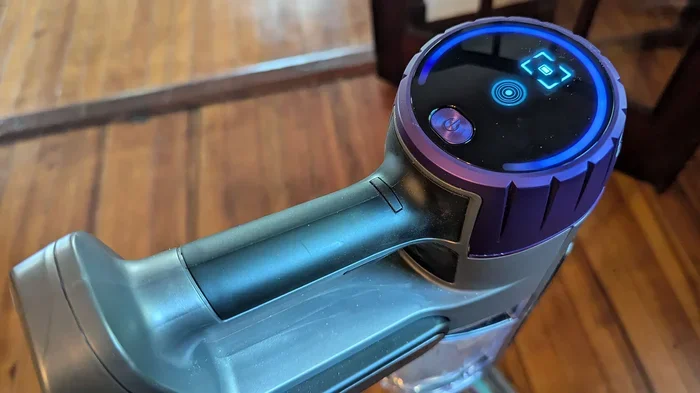
Visual guide about robot vacuum battery indicator
Image source: cdn.mos.cms.futurecdn.net
Quick Tips
- Keep the dock area clear: Obstacles force the robot to search for the charger, wasting energy.
- Use Eco mode for daily maintenance: A quick sweep each night keeps floors tidy and saves power.
- Schedule cleaning when temperatures are moderate: Avoid extreme cold or heat.
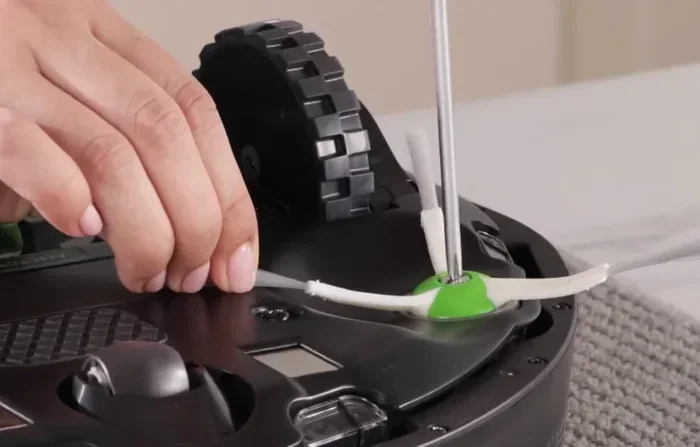
- Clean brushes and filters regularly: A clogged brush makes the motor work harder.
- Update firmware: Manufacturers often release efficiency tweaks.
- Charge before the battery drops below 20 %: Shallow discharge prolongs lifespan.
Expert Insights
According to Dr. Lena Huang, a battery chemist at the University of Michigan, “Maintaining a charge between 40 % and 80 % is optimal for Li‑ion health. Frequent deep‑discharge cycles accelerate capacity loss.” In practice, this means letting your robot finish a cleaning run, then letting it sit on the dock for a few hours before the next session.
Common Mistakes That Shorten Battery Life
Even savvy owners can slip up. Here are the most frequent errors and how to avoid them.
- Leaving the robot on the dock for weeks: Batteries lose charge slowly even when idle, leading to “phantom drain.”
- Charging in a hot garage or cold basement: Temperature extremes stress the cells.
- Using high‑power mode for routine cleaning: Saves time once but cuts overall runtime.
- Ignoring firmware updates: Software bugs can cause the motor to run inefficiently.
- Neglecting brush and filter cleaning: A dirty brush forces the motor to spin faster, draining power.
When to Replace the Battery – Signs & Costs
All batteries age. Knowing the right moment to swap the pack keeps cleaning performance steady.
Warning Signs
- Runtime drops more than 20 % after a full charge.
- Robot frequently returns to dock before completing the map.
- Charging time increases noticeably (e.g., from 2 hours to 3 hours).
- Battery indicator flashes or shows error codes.
Replacement Costs
Original manufacturer batteries typically cost $60‑$120, depending on capacity. Third‑party options can be cheaper but may void warranties. Many brands offer a 1‑year battery warranty; check the terms before buying.
DIY vs. Professional Service
- DIY: If the robot has a user‑replaceable pack (most newer models), you can swap it in 5‑10 minutes with a screwdriver.
- Professional: Some units have sealed batteries; a service center will handle the replacement for $80‑$150 total.
Real‑World Example: A Week in the Life of a Robot Vacuum
Meet Maya, a busy mom who runs a Roborock S7+ on a 2‑hour schedule. Here’s how she maximizes How Long a Robot Vacuum Battery Typically Lasts:
- Monday‑Friday: She sets the robot to Eco mode at 9 PM. The unit runs 120 minutes, covering the entire house on hardwood floors.
- Saturday: She switches to “Boost” for a deep‑clean of the living‑room carpet. Runtime drops to 80 minutes, but the area is spotless.
- Sunday: No cleaning scheduled; the robot stays docked, preserving battery health.
After three months, Maya notices a 10 % runtime dip. She follows the quick tips: cleans the main brush, updates firmware, and moves the dock away from direct sunlight. The next month, runtime returns to near‑original levels.
Conclusion
Understanding How Long a Robot Vacuum Battery Typically Lasts helps you set realistic expectations and keep your device running at peak performance. Battery type, floor surface, cleaning mode, and maintenance all play a role. By following the practical tips, avoiding common mistakes, and knowing when to replace the pack, you can enjoy reliable cleaning for years.
Now that you know the secrets behind robot vacuum battery life, schedule your next cleaning, keep the dock clear, and let your robot do the work—efficiently and for longer.
Frequently Asked Questions
What is the average runtime for a robot vacuum on a single charge?
Most modern robot vacuums run between 90 and 150 minutes on a full charge, depending on the model and cleaning mode.