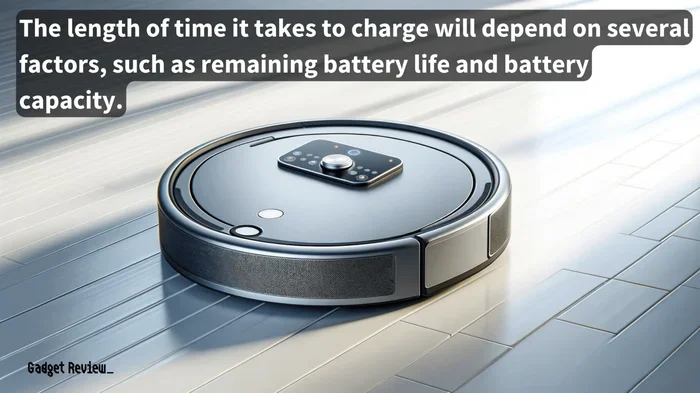
How Long a Robot Vacuum Battery Typically Lasts
A robot vacuum battery usually lasts between 1 – 3 years, depending on usage, charging habits, and maintenance. Learn the key factors that shorten or lengthen battery life, how to spot early signs of wear, and proven strategies to keep your robot vacuum running at peak performance.
Key Takeaways
- Average lifespan: Most robot vacuum batteries last 1‑3 years.
- Usage matters: Frequent cleaning cycles and large floor plans drain batteries faster.
- Battery type: High‑quality lithium‑ion cells outlive cheaper alternatives.
- Charging habits: Avoid deep discharge and over‑charging to preserve capacity.
- Maintenance is key: Clean sensors, brushes, and keep firmware updated.
- Warning signs: Shorter run time, slower speed, and more frequent recharges indicate wear.
- Replacement options: Check manufacturer parts or consider a newer model when performance drops.
📑 Table of Contents
Understanding Robot Vacuum Batteries
Robot vacuums have become a staple in modern households, offering hands‑free cleaning that saves time and effort. At the heart of every robot vacuum is its battery, which determines how long the device can clean before it needs to recharge. Knowing how long a robot vacuum battery typically lasts helps you plan maintenance, set realistic expectations, and decide when it’s time for a replacement.
What Types of Batteries Do Robot Vacuums Use?
Nearly all contemporary robot vacuums rely on lithium‑ion (Li‑ion) batteries. These cells provide high energy density, low self‑discharge, and can handle many charge cycles—making them ideal for daily‑use devices. A few older or budget models may still use nickel‑metal hydride (NiMH) packs, but these tend to have shorter lifespans and lower performance.
Factors That Influence Battery Longevity
Battery life isn’t a fixed number; it’s shaped by several interacting variables. Below are the most influential factors.
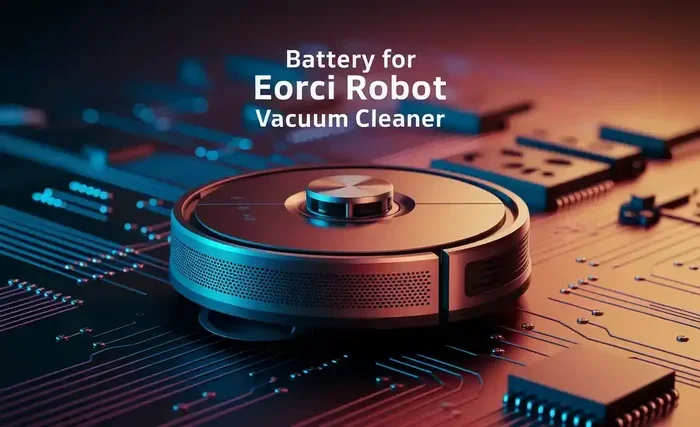
Visual guide about How Long a Robot Vacuum Battery Typically Lasts
Image source: poweruptips.com
1. Frequency and Duration of Use
- Cleaning schedule: Daily cleaning shortens the overall lifespan faster than weekly runs.
- Area size: Larger homes require longer cleaning cycles, which consume more charge per session.
2. Battery Quality and Chemistry
- Cell grade: Premium Li‑ion cells from reputable manufacturers retain capacity longer.
- Temperature tolerance: Batteries exposed to extreme heat or cold degrade quicker.
3. Charging Practices
- Deep discharge: Letting the battery run to 0 % repeatedly harms cell chemistry.
- Over‑charging: Leaving the robot on the dock for days after a full charge can cause stress.
- Smart charging: Many newer models feature adaptive charging that stops at 80‑90 % to extend life.
4. Maintenance and Firmware Updates
- Sensor cleaning: Dust on navigation sensors forces the robot to work harder, draining power.
- Brush and wheel upkeep: Clogged brushes increase motor load.
- Software: Firmware updates often include power‑management optimizations.
Typical Battery Lifespan: What to Expect
Based on real‑world testing and manufacturer specifications, a well‑maintained robot vacuum battery will provide reliable performance for 1 to 3 years. Here’s a quick breakdown:
- 1‑Year Mark: Expect a slight reduction (5‑10 %) in run time.
- 2‑Year Mark: Most units retain 70‑80 % of original capacity.
- 3‑Year Mark: Capacity may drop below 60 %, and cleaning cycles become noticeably shorter.
Why Some Batteries Outlast Others
Units that receive regular firmware updates, are kept in moderate climates, and follow proper charging habits often exceed the 3‑year threshold. Conversely, heavy‑duty cleaning in large homes, combined with neglect, can see batteries fail within a year.
Identifying Battery Degradation Early
Spotting the signs early lets you act before the robot’s performance suffers dramatically.
Common Warning Signs
- Reduced cleaning time: The robot stops halfway through a room.
- Slower navigation: The device moves at a crawl.
- More frequent dock returns: It heads back to charge after only a few minutes.
- Battery indicator flickers: Erratic or missing battery level on the app.
Practical Tips to Extend Battery Life
Implementing a few simple habits can add months—or even years—to your robot’s battery life.
Charging Best Practices
- Charge after each cleaning session, but avoid leaving it plugged in for days.
- If your model supports it, enable “eco‑mode” or “partial charge” settings.
- Keep the charging dock in a cool, well‑ventilated area.
Maintenance Checklist
- Wipe sensors and wheels weekly.
- Remove hair and debris from brushes after every use.
- Run a firmware update at least once per quarter.
Optimizing Cleaning Routes
- Use “room‑by‑room” cleaning instead of “whole‑house” runs when only a portion needs attention.
- Set virtual boundaries to prevent the robot from repeatedly navigating large, empty spaces.
When to Replace the Battery or the Whole Unit
Deciding between a battery swap and a new robot depends on cost, age, and overall performance.
Battery Replacement
- Most manufacturers sell replacement packs for $50‑$120.
- Check warranty terms—some offer free replacements within the first year.
- DIY replacement is feasible for many models; follow the official guide.
Upgrading to a New Robot
- If the robot is older than 4 years, other components (motors, sensors) may also be wearing out.
- Newer models often feature longer‑lasting batteries, smarter navigation, and better suction.
- Consider resale value of the old unit; some retailers offer trade‑in credits.
Quick Tips Summary
- Charge smart: Avoid deep discharge and over‑charging.
- Keep it clean: Sensors, brushes, and wheels need regular attention.
- Update often: Firmware can improve power efficiency.
- Mind the environment: Store the robot in a moderate temperature zone.
- Monitor performance: Track run time trends via the app.
Conclusion
Understanding how long a robot vacuum battery typically lasts empowers you to get the most out of your device. By recognizing the key factors—usage patterns, battery chemistry, charging habits, and maintenance—you can extend the useful life from the average 1‑3 years to well beyond that. Keep an eye on the warning signs, follow the practical tips above, and decide wisely between a battery swap or a full upgrade when performance drops. Your robot will thank you with cleaner floors and fewer interruptions.
Frequently Asked Questions
How long does a robot vacuum battery typically last?
Most robot vacuum batteries provide reliable service for 1 to 3 years, depending on how often you use the device and how well you maintain it.
What factors affect a robot vacuum’s battery lifespan?
Key factors include cleaning frequency, floor‑area size, battery quality, charging habits, temperature exposure, and regular maintenance such as sensor cleaning and firmware updates.
How can I extend my robot vacuum’s battery life?
Follow smart charging practices, keep the robot and its dock in a cool environment, clean sensors and brushes regularly, and install software updates that improve power management.
What are the early signs that a robot vacuum battery is degrading?
Look for shorter cleaning runs, slower navigation speed, more frequent returns to the dock, and erratic battery‑level readings on the app.
Can I replace the battery myself?
Yes—most manufacturers sell replacement Li‑ion packs that you can install with basic tools. Check the user manual for step‑by‑step instructions and warranty details.
When should I consider buying a new robot vacuum instead of replacing the battery?
If the robot is older than four years, shows multiple performance issues, or the cost of a new battery approaches the price of a newer model with better features, upgrading may be the smarter choice.